
ICTContact multi-tenant contact center software offers a comprehensive suite of telemarketing and customer engagement features, including Voice Broadcasting, Fax Broadcasting, SMS Messaging, Surveys and Polling, Appointment Reminders, Press-1 Campaigns, Interactive Campaigns, and Inbound Campaigns. It also provides robust REST APIs to integrate with any third-party application, enabling businesses to automate CRM workflows and communicate effectively with their contacts and customers. The REST API makes it easy to integrate ICTContact with popular open-source CRMs such as SuiteCRM, SugarCRM, EspoCRM, Yetiforce, Vtiger, Flat-CRM, and Flarepoint CRM.
This integration allows users to communicate directly with their contacts, customers, leads, or opportunity lists from EspoCRM. It automates key business processes, enabling users to create and manage campaigns directly within EspoCRM without switching platforms.
Below are screenshots from the EspoCRM deployment after integration with ICTContact, along with instructions on running Voice Broadcasting Campaigns and other telemarketing workflows.
How To Use ICTContact Multi-Tenant Contact Center Module in EspoCRM Menus
-
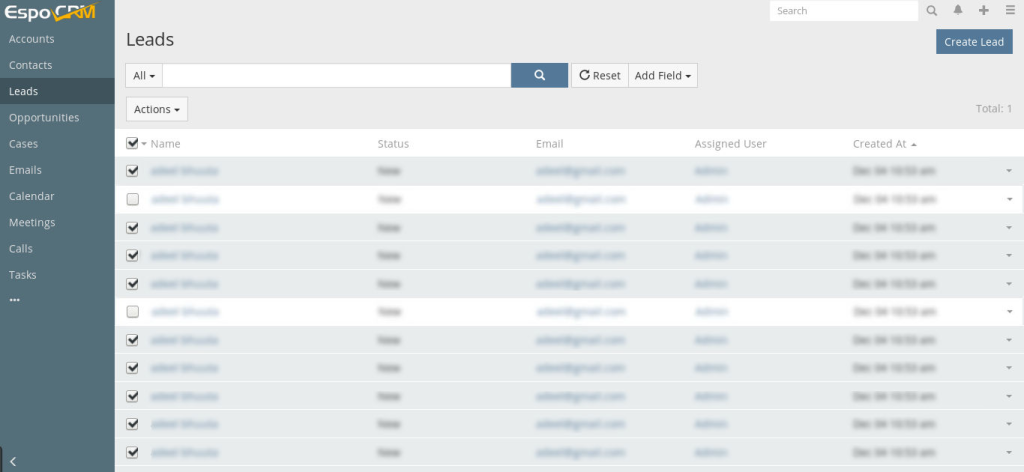
- Go to the Leads main menu
- Select your Leads according to needs.
-
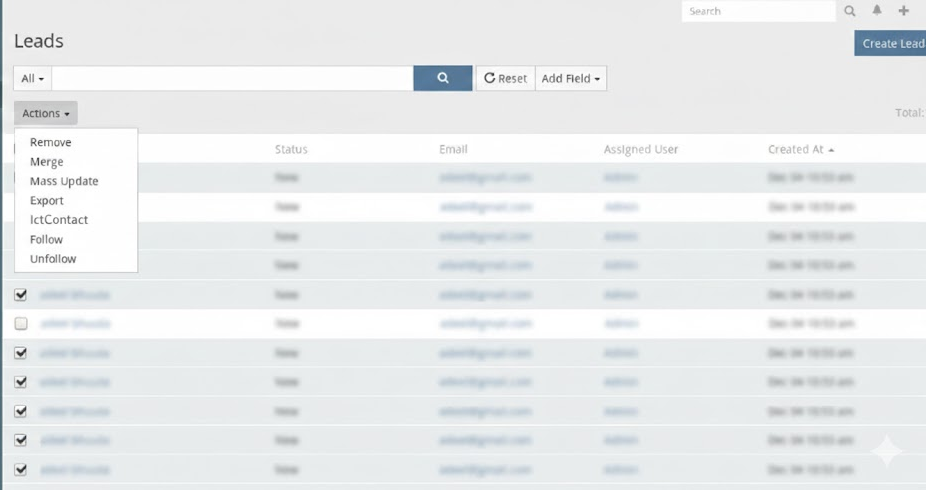
- Click on the action button and choose ICTContact
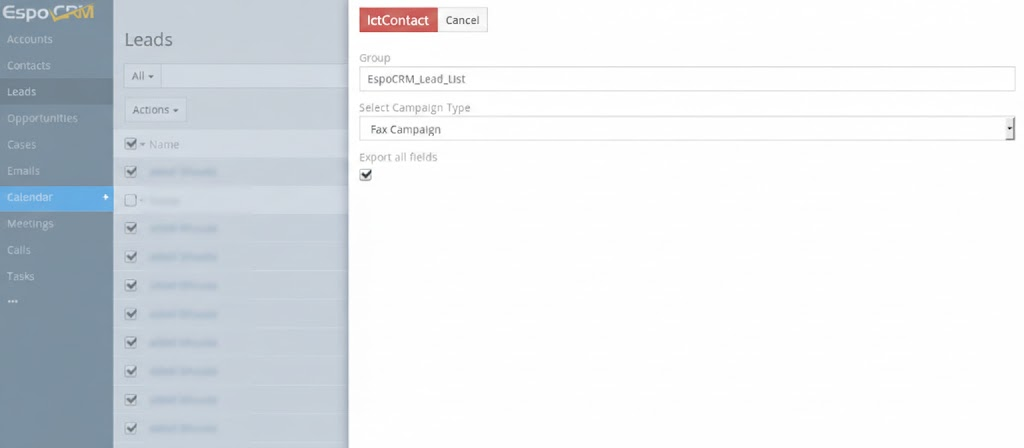
- Enter the Contact Group Name.
- Select the Campaign Type.
- Check the option Export All Fields.
- Click Save.
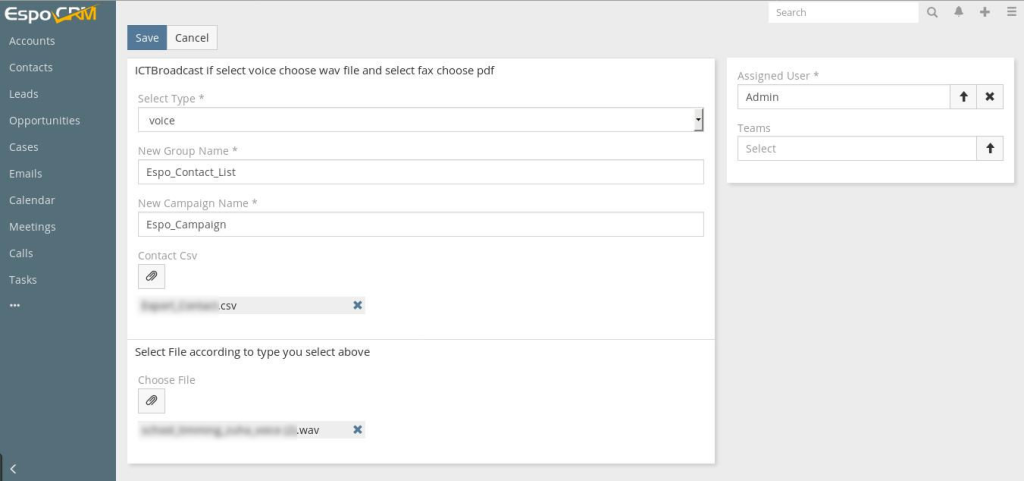
Note: You will be redirected to the ICTContact page.
- Enter a Campaign Name, select the Recording, configure the other required fields, and click Save.
How to Use ICTContact Extension:
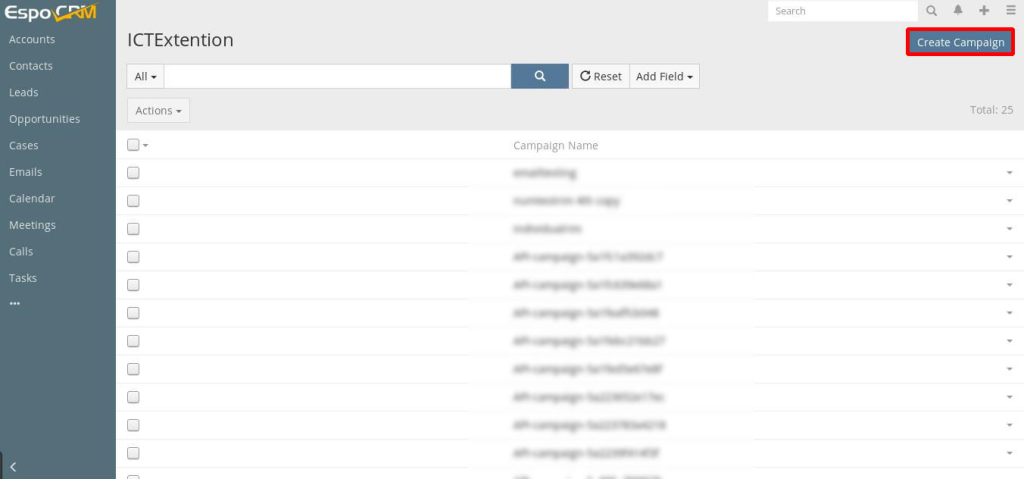
- Go to the More menu.
- Select ICTExtension.
- Click on the Create Campaign
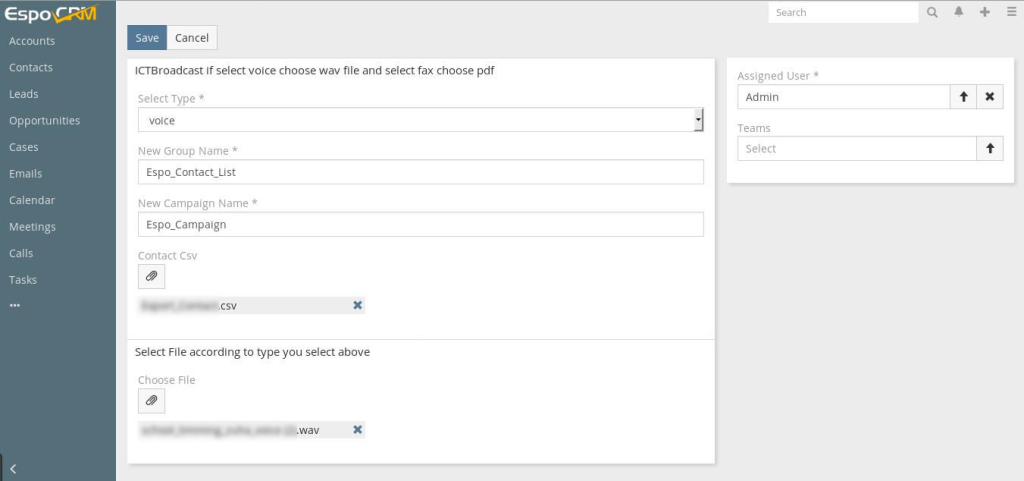
- Select Campaign type, enter contact group, campaign name, upload contact .csv file, upload recording file, and save it.
The integration, utilizing REST APIs, automates business processes and allows users to create and run campaigns directly from CRMs such as SuiteCRM, VtigerCRM, EspoCRM, YetiforceCRM, Flarepoint CRM, and others.