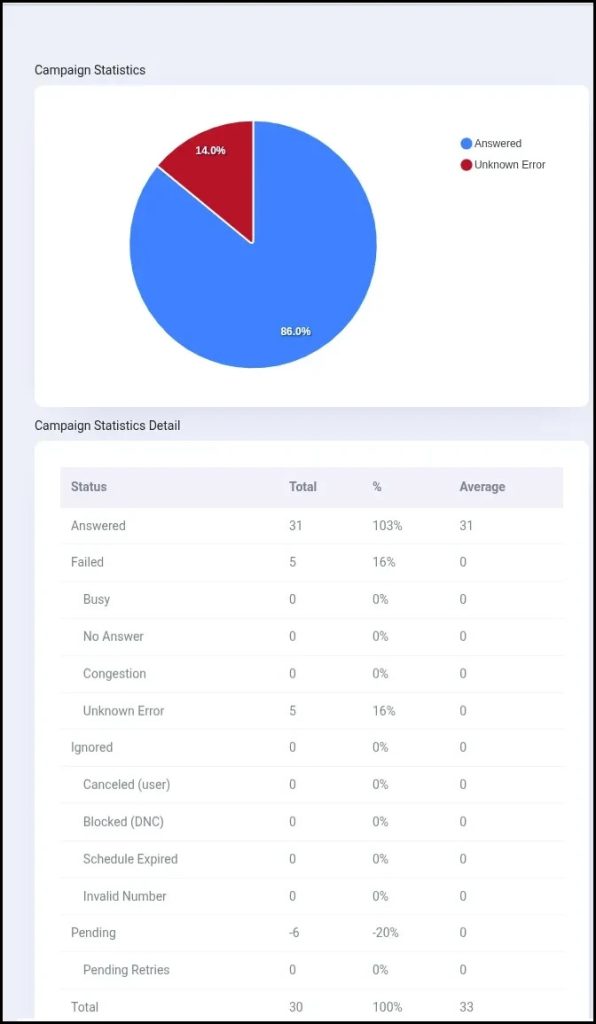
ICTContact modern contact center software provides chart-based reporting that allows administrators and supervisors to easily monitor and analyze campaign performance. Visual charts and graphs present call statistics in a clear and organized way, helping users quickly understand campaign results and communication trends.
The reporting dashboard also provides detailed contact information for calls that were successfully answered as well as calls that failed due to reasons such as Busy, No Answer, Congestion, or Unknown Errors. This visibility helps teams identify issues and improve campaign performance.
In addition, ICTContact allows users to export contact lists and call reports for further analysis, follow-up activities, and campaign optimization, making reporting and performance tracking more efficient for contact center operations.
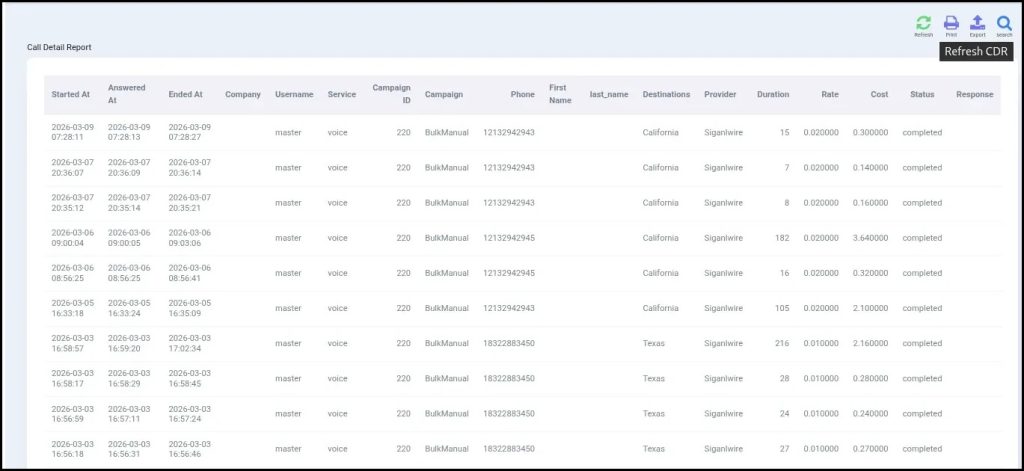
CDR report:
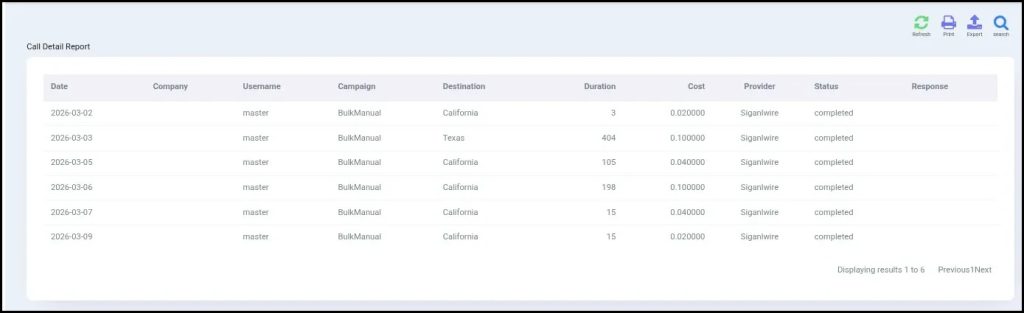
The CDR (Call Detail Record) Report provides detailed information about each call made during a campaign. It includes important data such as call duration, call status, and call cost, allowing users to review call activity and performance. The CDR list focuses on successful calls only, enabling users to easily track completed interactions, monitor campaign expenses, and evaluate overall campaign effectiveness.
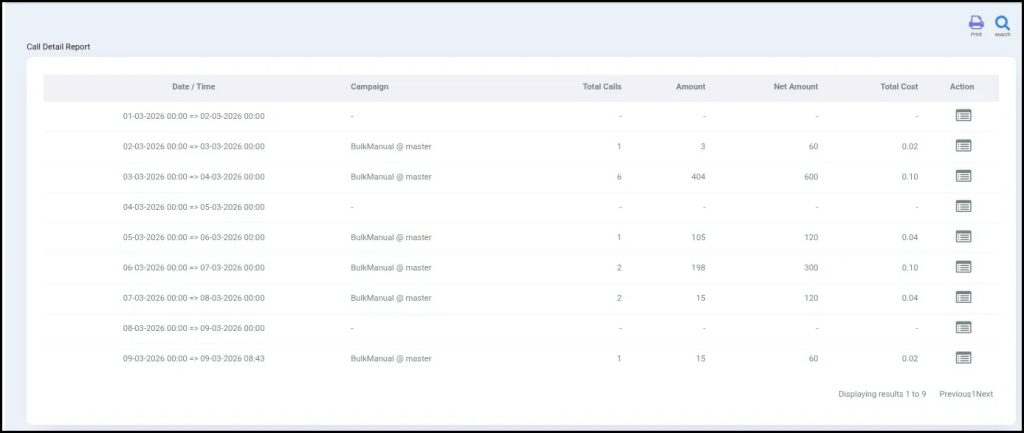
Overview report:
The Overview Report provides a comprehensive summary of all campaigns, displaying key details such as campaign name, date and time, total calls made, total cost, and total amount. This report enables users to quickly assess overall campaign performance and monitor essential metrics at a glance.
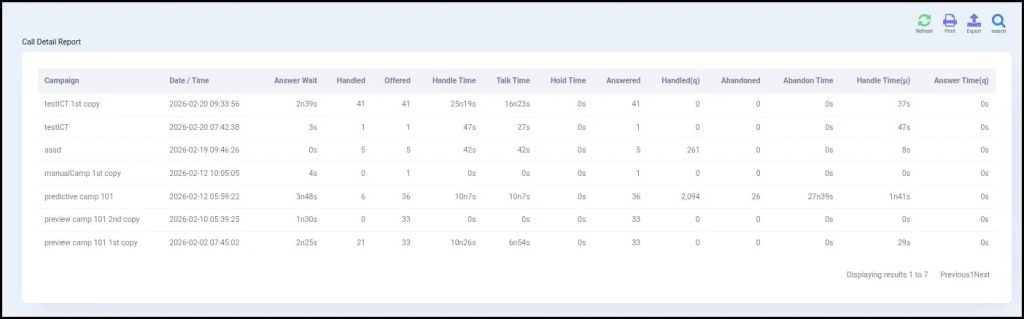
CDR Summary Report:
The CDR Summary provides an overview of each call made in a campaign. It shows detailed information about every call, including call duration, status, and cost, helping users track performance and expenses efficiently.
Live Statistics Report:
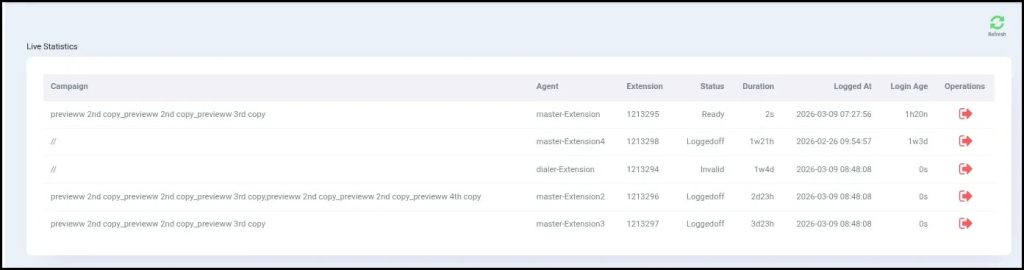
Live Statistics provides real-time insights into calls that are currently in progress. It displays key details such as campaign name, agent, extension, call status, call duration, agent login time, total time logged in, and other ongoing activities. This feature enables supervisors to monitor active calls, track agent performance, and manage campaigns efficiently as they happen.
Agent Statistics Report:
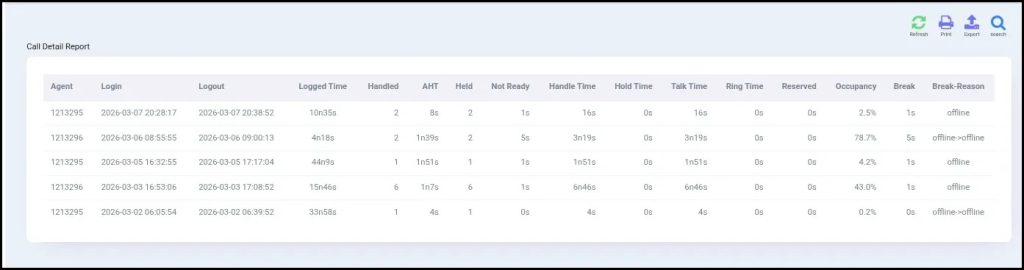
Agent Statistics delivers a comprehensive overview of each agent’s performance, including login and logout times, call response times, and other essential metrics for monitoring activity. Users can filter results by agent or date, making it simple to track performance, identify trends, and manage team productivity effectively.
Call Recording Report:
The Call Recording Report provides a full list of all recorded calls, allowing users to review, play, or download recordings for quality monitoring, training, and reference purposes.
Disposition Report:
The Call Disposition & Statistics Report offers a comprehensive view of call results and overall performance. It details the outcome of each call—such as Answered, Busy, No Answer, Wrong Number, or Follow-up Required—while summarizing total calls, success rates, and other key metrics. This report enables managers to track campaign effectiveness, analyze trends, and make informed decisions to optimize future campaigns.
Campaign Statistics Report:
Campaign Statistics delivers detailed insights for each campaign, presenting a complete list of all campaigns. Users can filter results according to specific criteria, making it simple to track performance, analyze outcomes, and gain valuable insights for more effective campaign management.