
ICTContact Contact Center Software Integrated With Salesforce CRM brings your customer communications and CRM data into one synchronized workflow. By integrating ICTContact with Salesforce CRM, businesses can manage voice calls, SMS, fax, and customer interactions directly from CRM contacts and records. Agents gain instant access to customer information during live interactions, while managers benefit from unified reporting on campaigns, call activities, and agent performance. This integration eliminates data silos, reduces manual effort, and ensures every customer interaction is tracked, measurable, and aligned with sales and support processes.
Salesforce CRM is an award-winning platform developed by Salesforce as part of its comprehensive suite of sales and marketing solutions, which also includes dedicated systems for analytics, marketing, service, and community cloud. As a customer relationship management solution, it enables businesses to centralize customer data and interaction history in a single platform, making it easier to manage and nurture leads. With features such as Lead Management, Marketing Automation, Sales Data Management, and Partner Management, organizations can efficiently track prospects throughout the sales cycle until they are ready for conversion.
User Guide:
Sales Dashboard
- Log in to your Salesforce account.
- Navigate to the Setup section from the main menu.
- Enable API Access to allow integration and data synchronization.
- Confirm and save the settings to proceed with dashboard configuration.
- Go to Manage Users and click Profiles.
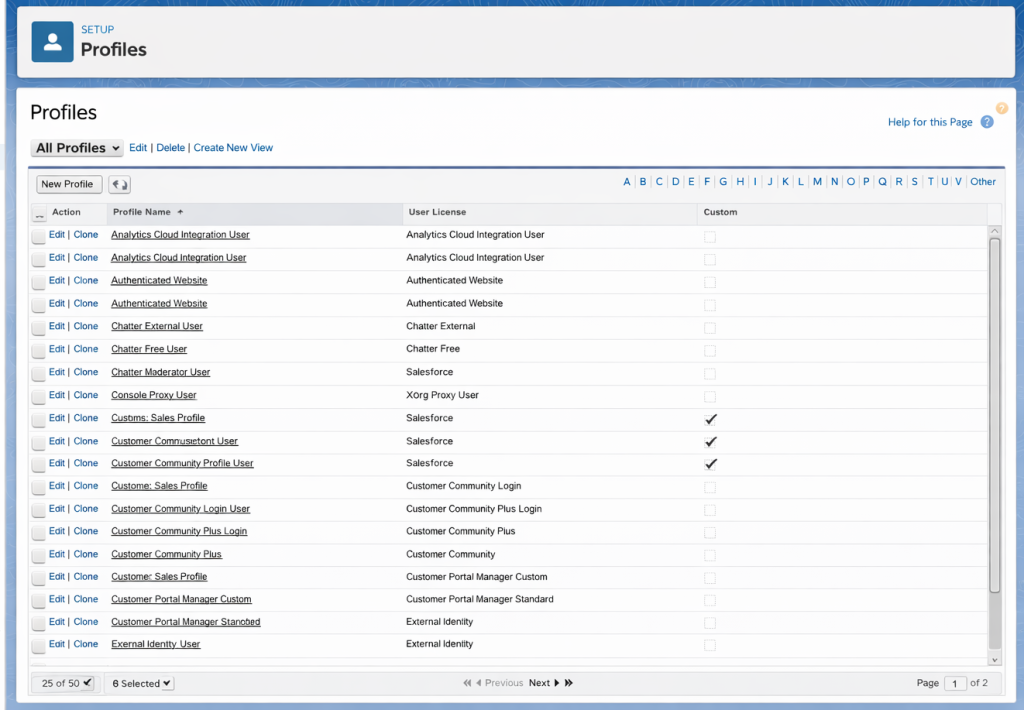
- Scroll down to Administrative Permissions and check the API Enabled box.


- Navigate to the Salesforce Dashboard.
- Click on Contacts in the menu.
- Select the desired Contact from the list.
- Click Save to apply your changes.
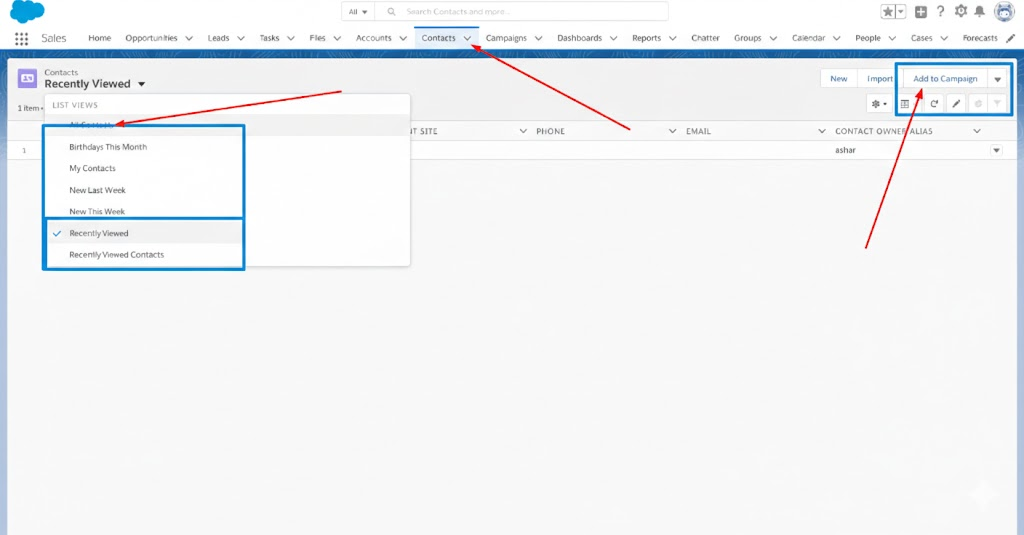
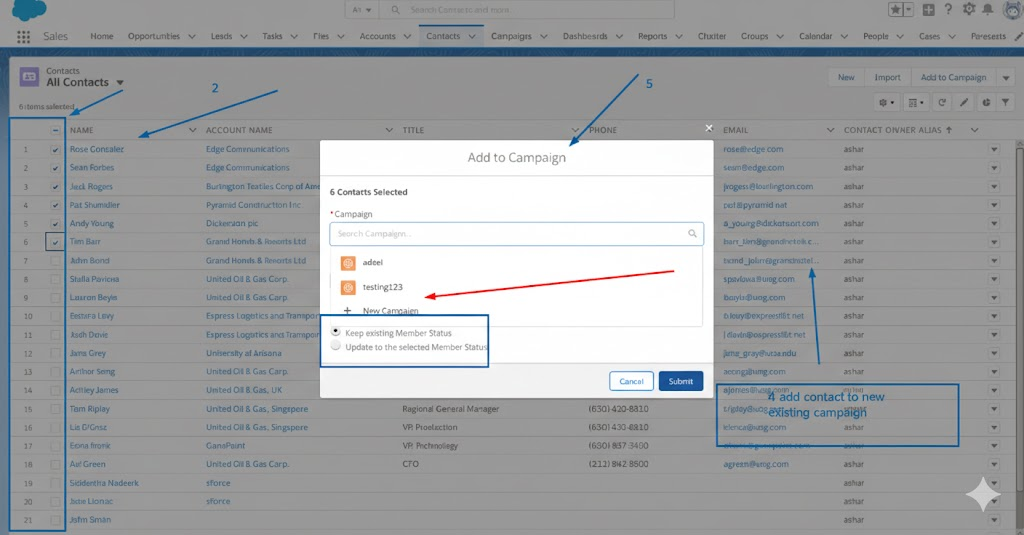
- Select a contact to add to a new or existing campaign & click on submit
How to Select the Salesforce Contacts in the ICTContact Contact Center Software
- Log in to your ICTContact panel.
- Open the main CRM menu.
- Select the Leads/Contacts submenu.
- Click on Salesforce Contact.
- Enter your Salesforce credentials.
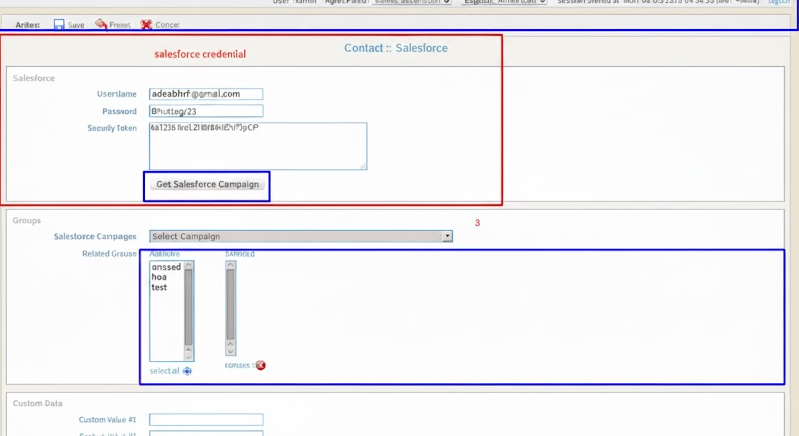
- Click the Get Salesforce Campaign button.
- Select the desired Salesforce Campaign and Broadcast Group.
- Click the Save button.