ICTContact advanced contact center software has significantly enhanced its built-in CRM capabilities by introducing a wide range of new features designed to streamline operations and improve overall business efficiency. The updated CRM now offers comprehensive lead and lead group management, enabling businesses to organize prospects effectively and run more targeted, result-driven customer campaigns.
The platform has also strengthened its product management module, allowing users to seamlessly manage product details, pricing structures, and inventory records within a centralized system. In addition, enhanced company management features help organizations maintain detailed company profiles, enabling better tracking of client information and fostering stronger, long-term business relationships. To simplify and optimize the sales workflow, ICTContact’s advanced contact center software now includes sales invoices and quotation management directly within the CRM.
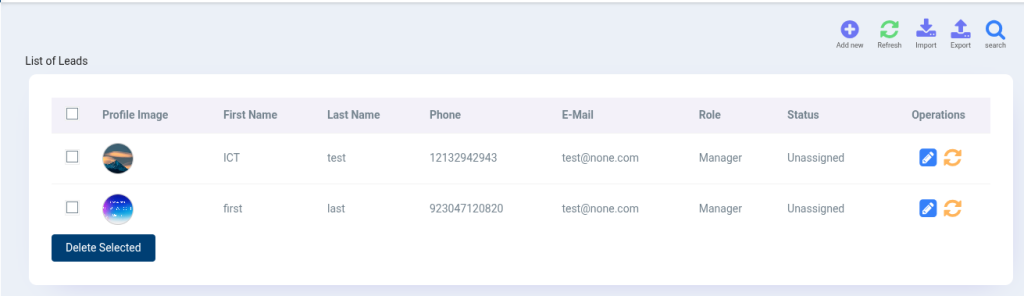
Further usability improvements include the ability to add profile pictures and role assignments for both leads and contacts, making identification, collaboration, and role-based handling more intuitive for teams. The newly introduced deal activity feature allows users to monitor deal lifecycles, clearly view expected deal end dates, and stay informed about deal progress.
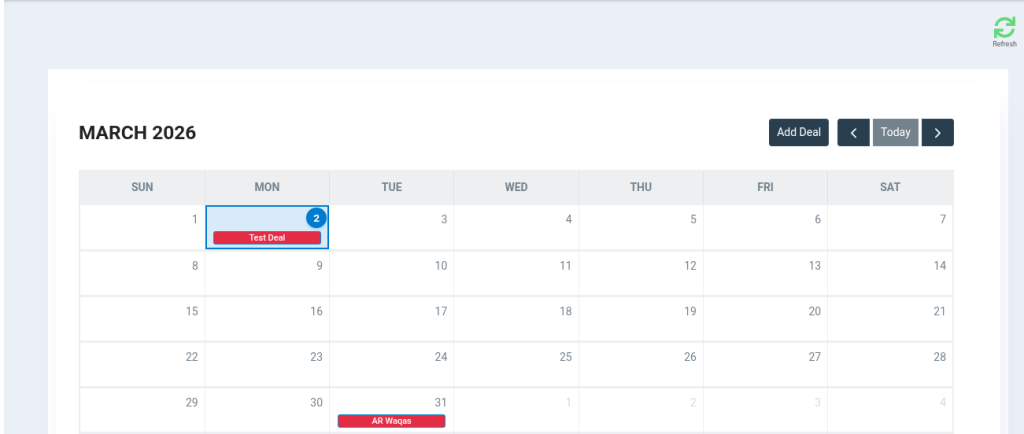
Additionally, the deal calendar provides a visual and interactive way to manage deals. Users can easily add new deals, edit existing ones, and track deal end dates directly from the calendar interface, ensuring better planning, follow-ups, and timely closures.
Collectively, these enhancements position ICTContact as a powerful and unified CRM solution that not only optimizes communication strategies but also strengthens sales management, improves operational transparency, and boosts overall productivity.
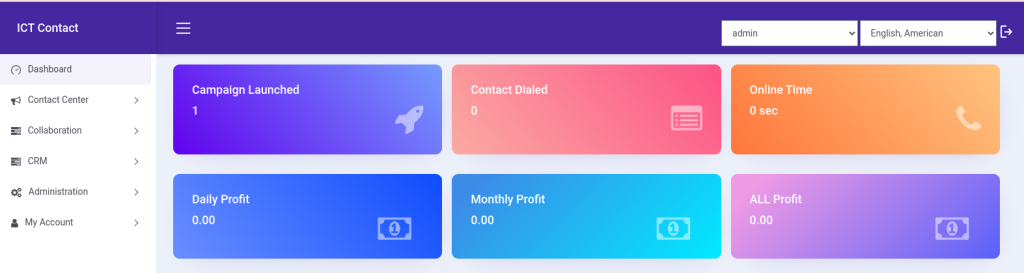
Followings are the advanced crm features offered by ICTContact advance contact center & omnichannel communication software:
1. Lead Groups:
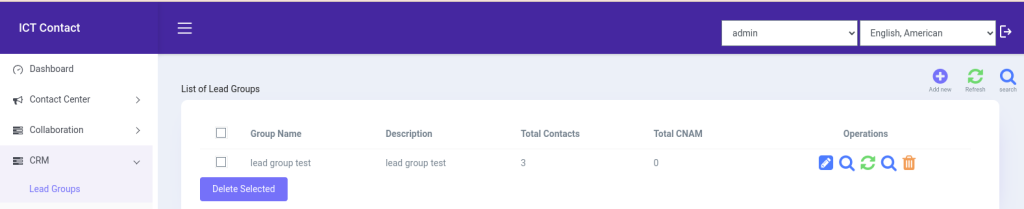
Lead groups are groups of potential customers that are organized based on similar information or behavior. This makes it easier for businesses to manage their leads and contact the right people with the right message, which helps improve customer interest and conversion.
In ICTContact’s built-in CRM, a lead group works like a container that holds contacts from a specific category or domain. When a campaign is created, the system calls or contacts leads only from the selected lead group. This helps keep campaigns organized and ensures communication is targeted and efficient.
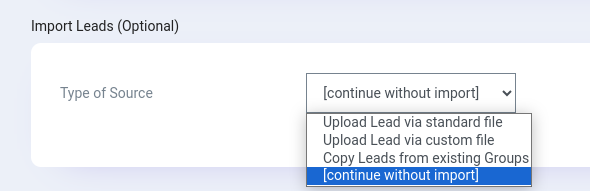
ICTContact allows users to import leads easily using CSV or standard files, saving time and effort. Users can also copy leads from existing lead groups when needed, instead of creating and adding leads one by one. This makes lead management faster, simpler, and more efficient.
1.2 Leads Management:
In ICTContact, a lead is basically a potential customer or prospect who has shown interest in a company’s product or service but has not yet become a customer. A lead can be an individual person or a company.
ICTContact allows users to easily manage both leads and lead groups. Multiple leads can be organized into a lead group for better management and targeted communication. Users can also manage regions, countries, and call destinations, allowing calls to be routed or terminated specifically for a selected lead group. This helps ensure more organized, location-based, and effective calling campaigns.
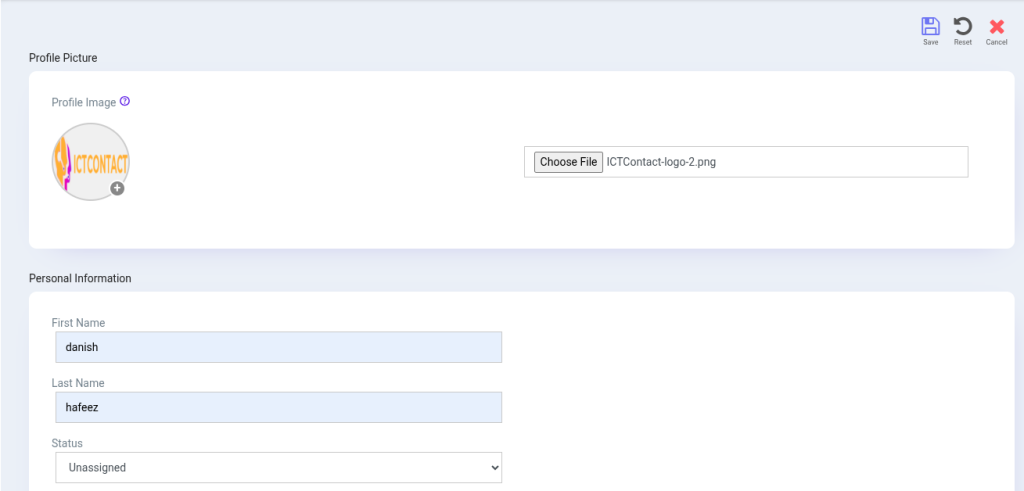
ICTContact provides a user-friendly interface that makes creating leads simple and quick. Users can enter the required information, select the company under which the lead is created, and then assign the lead to a specific lead group.
The system also allows users to set the lead status, such as In Progress, Processed, or Junk. This helps teams track lead progress easily and manage prospects more effectively throughout the sales process.
1.3 DNC Leads:
ICTContact includes an advanced feature called DNC (Do Not Contact) Leads. This powerful feature allows users to add specific leads to a DNC list that they do not want to contact or receive calls or information. Any lead added to the DNC list will never be contacted, even if they are included in an active campaign.
ICTContact allows users to choose between a User DNC list and a Global DNC list. If a lead is added to a User DNC list, that lead will not be dialed or contacted in the campaigns created by that user. However, if a lead is added to the Global DNC list, the lead becomes restricted for all users, meaning no one in the system can access or dial that lead.
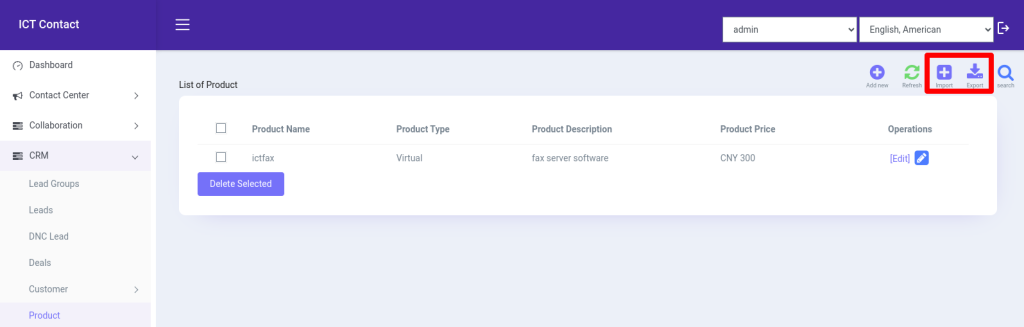
Additionally, ICTContact provides the option to import and export DNC lists, making it easy for users to manage, update, and maintain compliance efficiently.
2. Company:
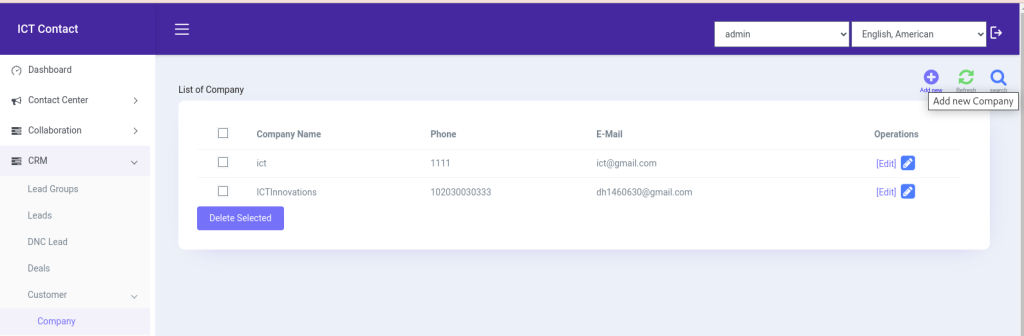
A Company is a CRM feature that stores complete and detailed information about an organization. A company can represent a client, a supplier, or a business partner.
ICTContact includes a dedicated Company module as part of its built-in CRM. This module plays an important role in organizing business data. In ICTContact, users must first create a company before they can add leads or create deals under it. Leads and deals are always associated with a company, ensuring better structure and clarity in the CRM.
Similarly, users can manage and maintain supplier and partner information by creating them as companies within the system. This approach helps clients keep all business-related records organized, improves deal tracking, and supports better relationship management across customers, suppliers, and partners.
2.1 Contact groups:
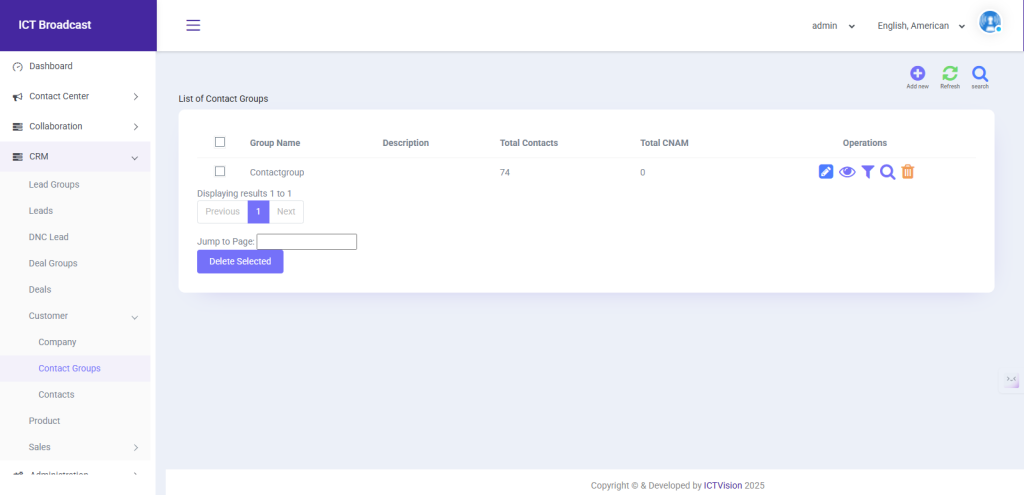
Contact groups are collections of existing contacts that are organized based on common characteristics such as industry, region, role, or business relationship. Organizing contacts into groups helps businesses manage their customers more efficiently and communicate with the right audience at the right time. Contact groups support more focused and personalized communication, which improves customer engagement and long-term relationships.
In ICTContact’s built-in CRM, a contact group works as a container for saved contacts belonging to a specific category or domain. When running campaigns or managing customer interactions, users can select a specific contact group to ensure communication is sent only to the intended audience. This structured approach helps maintain organized contact data and enables more effective and targeted outreach.
2.2 Contacts:
In ICTContact, a contact is an existing customer or business connection with whom the company already has an established relationship. Contacts can represent individual people or companies and are usually converted from leads once they become customers.
ICTContact allows users to manage contacts and contact groups easily. Multiple contacts can be organized into a contact group for better structure and targeted communication. Users can also manage regions, countries, and call destinations for contacts, allowing calls to be routed or terminated based on specific contact groups. This helps ensure organized communication and more effective campaign execution.
Users can create contacts easily using the user-friendly interface in ICTContact. Users can enter all the required information, select the company the contact belongs to, and assign the contact to a specific contact group. ICTContact also allows users to set the status of contacts, such as Active, Inactive, or Do Not Contact, helping teams manage and track their existing customers more efficiently.
4. Product:
ICTContact allows users to manage their offerings through its advanced Products module. Users can easily add products or services by entering essential details such as product name, product type, currency, and product visibility. This feature helps businesses organize their catalog efficiently and ensures that products and services are clearly defined and ready for use in deals, campaigns, and client interactions.
5. Deal Groups:
Deal Groups are collections of deals organized by category, stage, or business purpose. They help businesses manage and track multiple deals efficiently.
In ICTContact, users can create and manage deals within a group, assign them to companies or contacts, and monitor their progress. Features like deal activities and the deal calendar allow users to track end dates, add or edit deals, and plan follow-ups, making sales management more organized and effective.
5.1 Deals:
The process of managing sales opportunities is known as deal or opportunity management. ICTContact includes a robust Deals feature within its built-in CRM, offering custom deal stages that help clients visualize their sales pipeline and estimate future revenues.
ICTContact provides a variety of deal stages, such as New, In Progress, Create Papers, Deal Won, and Deal Lost. These stages allow clients to track the progress of each deal, finalize sales more efficiently, and generate accurate revenue estimates.
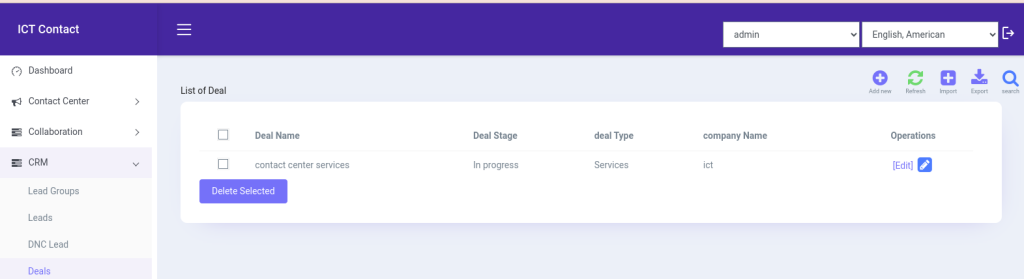
Deal Activity in ICTContact allows users to track all actions and updates related to a deal. Users can see when a deal was created, upcoming deadlines, and important milestones, helping teams stay organized and ensure timely follow-ups for better sales management.

5.3 Deal Calendar:
The Deal Calendar in ICTContact lets users schedule, view, and manage deals visually. Users can add or edit deals, track end dates, and plan follow-ups, making it easier to stay organized and manage the sales pipeline efficiently.
5.4 Quotes:
Sales Quotes in ICTContact allow users to generate and manage quotes directly within the CRM, simplifying the quoting process, ensuring accuracy, and maintaining a professional approach to client proposals.
Users can create quotes by selecting the company for which the quote is being prepared, choosing the products, and setting the quote stage such as In Progress, Sent to Client, or Completed. This feature helps streamline sales workflows and improve client communication.
5.5 Invoices:
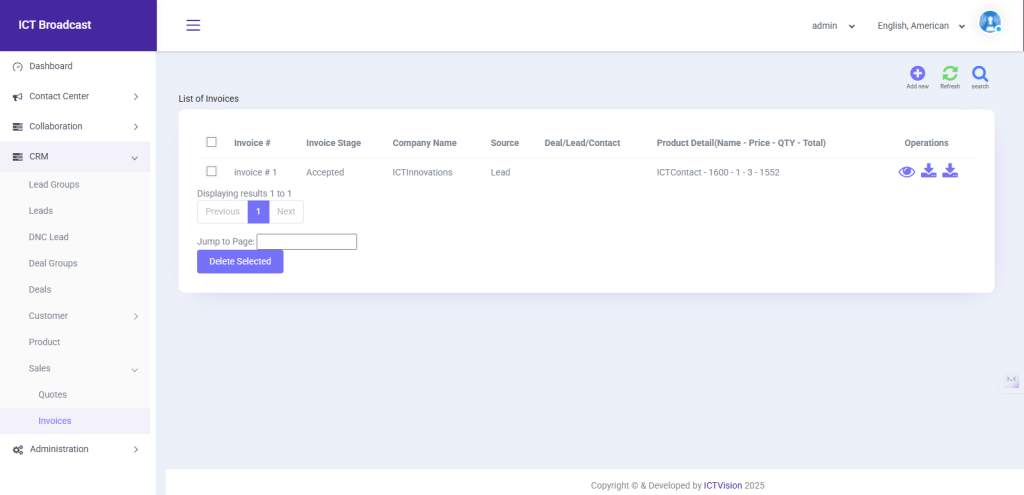
The Sales Invoice feature in ICTContact simplifies and streamlines the invoicing process, making it easy for users to manage sales transactions efficiently.
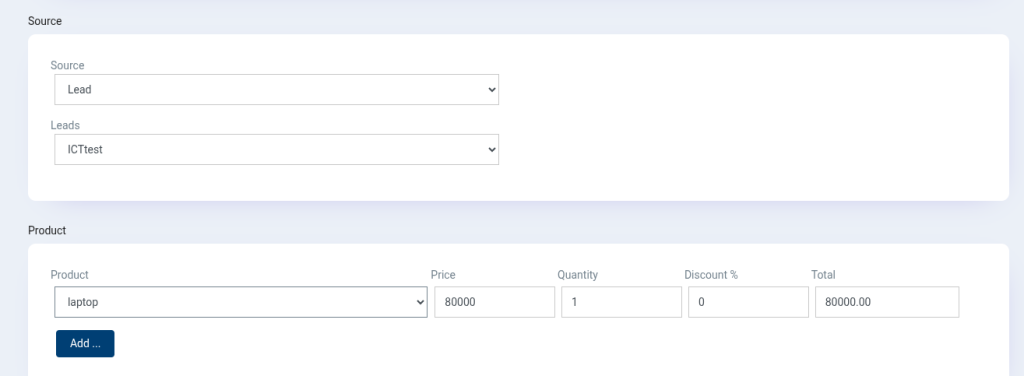
Users can create invoices by entering details such as invoice number, company, source (lead, contact, or deal), and selecting the relevant products. ICTContact also allows users to view, download, and export invoices as PDFs. This feature enhances financial operations by providing a user-friendly interface to create, manage, and track all invoices in one place.
Conclusion:
The latest update to ICTContact greatly enhances its built-in CRM, introducing essential features such as leads, lead groups, products, companies, contacts, sales invoices, and quotes. These improvements provide a complete solution for managing customer relationships and sales processes within a single platform. Users can now efficiently track leads, organize them into groups, manage products, maintain detailed company and contact records, and handle sales invoicing and quoting seamlessly.
For businesses seeking a simple yet powerful tool to streamline operations, ICTContact’s built-in CRM offers a wide range of sales and marketing tools, making it an ideal solution for managing business automations and improving overall efficiency.