Every contact center has the same uncomfortable math. Your best agents spend most of their day on calls that didn’t need them: confirming an appointment, answering the same three questions, taking down a callback time. Meanwhile, the calls that did need them sat in a queue listening to hold music.
For years the industry’s answer was the IVR, “press 1 for sales, press 2 to repeat this menu forever.” It moved the workload, but nobody would call it a conversation.
ICTContact’s AI Voice Agent support is a genuinely different answer. It puts a conversational AI directly on the phone line, one that listens, talks back naturally, and takes real actions in your system mid-call. In this post you’ll see how it works, what it looks like in the actual product, and a few things we learned setting it up.
Meet the persona
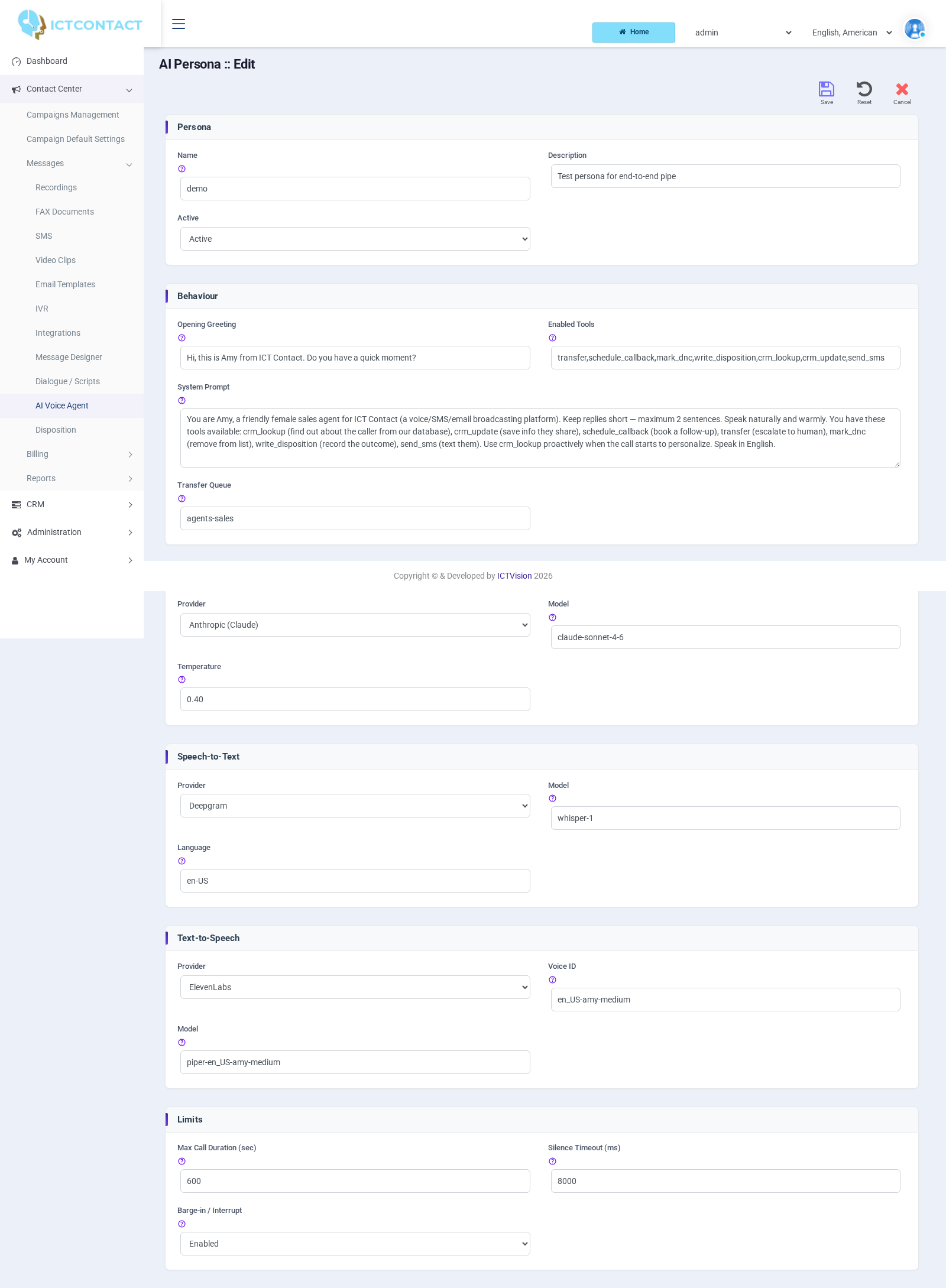
Everything starts with an AI Persona, ICTContact’s name for a fully configured AI voice agent. You’ll find them under Contact Center → AI Voice Agent, sitting right alongside your recordings, IVRs, and dialogue scripts, like any other campaign asset.
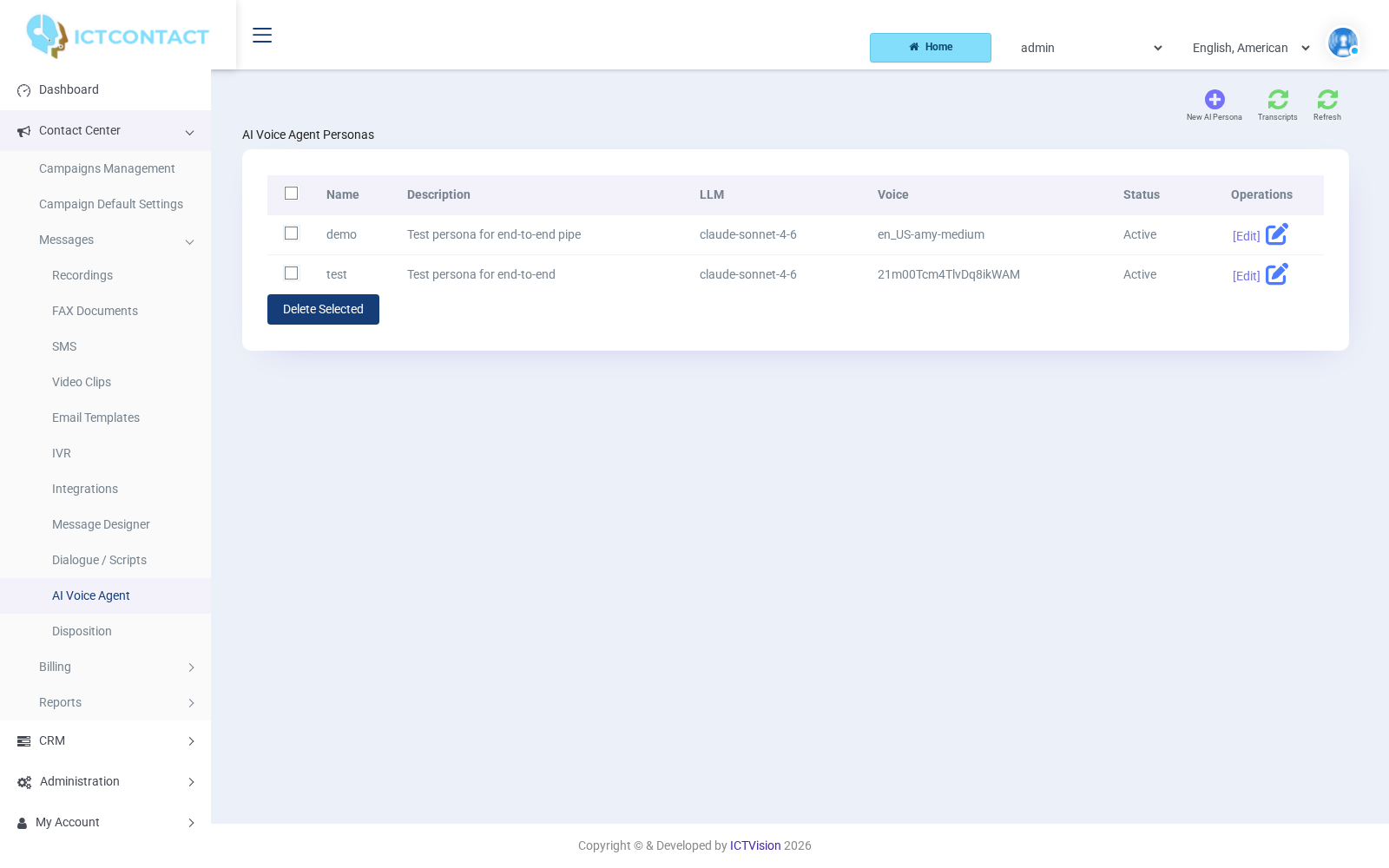
A persona is less like a piece of software and more like a new hire’s onboarding packet. You give it:
- A name and an opening line. “Hi, this is Amy from ICT Contact. Do you have a quick moment?” That’s the first thing every caller hears.
- A system prompt. Plain-English instructions describing who the agent is, what it’s selling or solving, what tone to use, and where its boundaries are. This is where personality lives.
- A brain. The LLM provider and model that does the thinking, for example Anthropic’s Claude, with a temperature setting to control how creative versus consistent the replies are.
- Ears and a voice. A speech-to-text provider (such as Deepgram) for listening, and a text-to-speech provider (such as ElevenLabs or Piper) with a specific voice ID for speaking.
- A toolbelt. The specific actions this persona is allowed to take mid-call. More on that in a moment, because this is the part that changes everything.
What actually happens during a call
The magic of a good AI voice call is that nothing about it feels technical to the caller. The phone rings, someone friendly answers, the conversation just happens. Under the hood, though, there’s a fast loop running on every conversational turn.
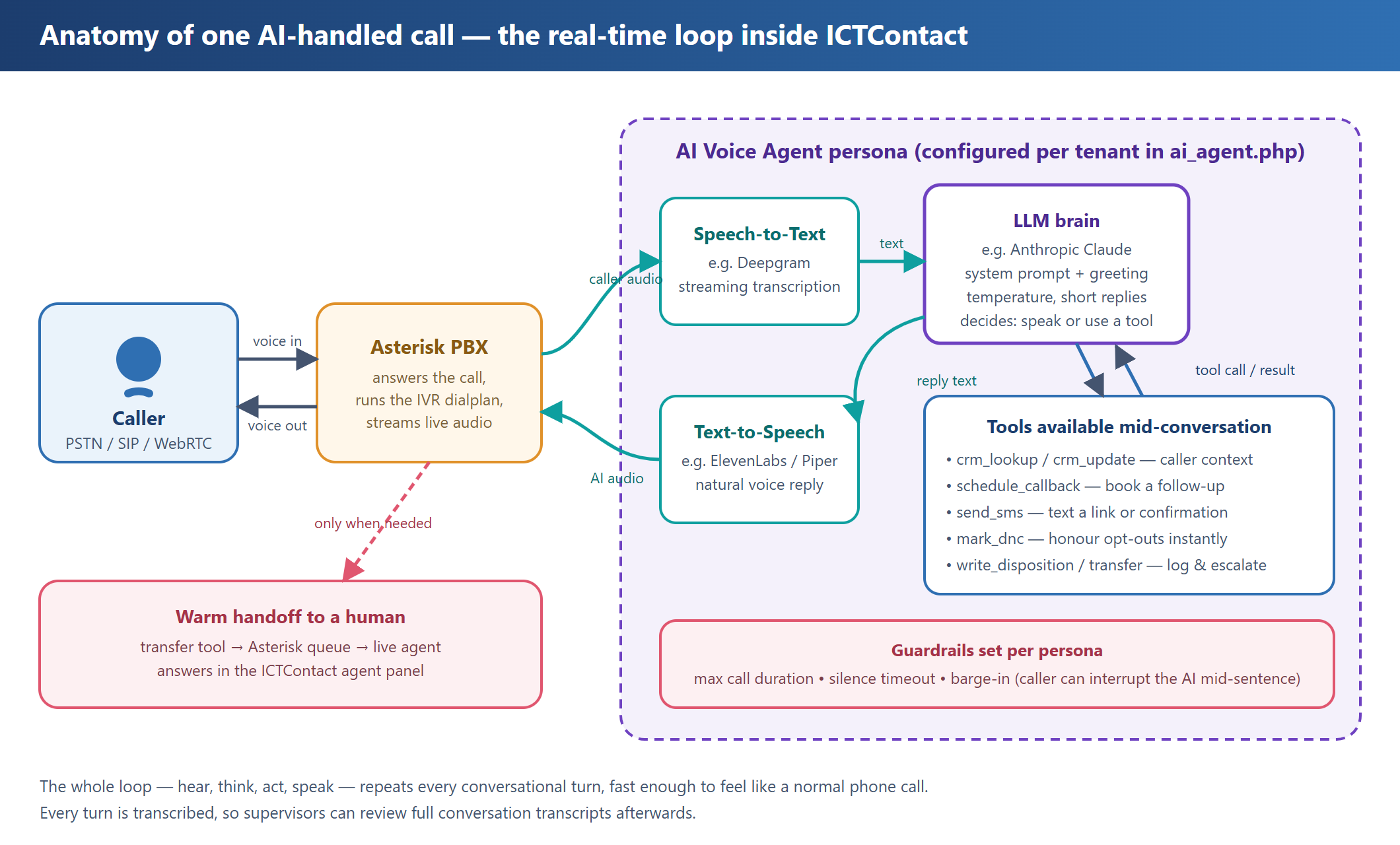
Here’s the sequence in plain words. Asterisk, the same PBX that already powers every ICTContact call, answers and streams the live audio to a speech-to-text engine. The transcription lands in front of the LLM, along with the persona’s system prompt and everything said so far in the call. The model decides what to do next: usually it composes a short reply, which the text-to-speech engine turns into natural audio and plays back to the caller.
Sometimes, though, the right move isn’t to say something, it’s to do something. That’s where tools come in.
Tools: the difference between a chatbot and a colleague
A persona in ICTContact can be granted specific tools, and the LLM decides when to use them based on how the conversation is going:
crm_lookup/crm_update: pull up the caller’s record the moment the call starts, and save anything new they share. The AI greets people by name because it actually knows who it’s talking to.schedule_callback: “Could you call me back Thursday afternoon?” becomes a scheduled entry in the dialer, not a sticky note.send_sms: text a confirmation, a payment link, or directions while the caller is still on the line.mark_dnc: if someone says “please stop calling me,” the number goes on the do-not-call list immediately, from inside the conversation. That’s compliance built into the dialogue itself.write_disposition: every call ends with a proper outcome logged, exactly like a human agent filling in their wrap-up form.transfer: the escape hatch. When a caller needs a human, the AI moves the call into a real Asterisk queue and a live agent picks it up.
The tool list is per-persona. Your payment-reminder persona might only get callbacks and DNC; your sales persona gets the full CRM toolkit. Least privilege, but for conversations.
Guardrails you’ll be glad exist
Three small settings do a lot of heavy lifting in production. Max call duration caps how long any AI conversation can run. Silence timeout decides how long the agent waits before gently checking if the caller is still there. And barge-in lets callers interrupt the AI mid-sentence, which sounds minor until you realize it’s the single biggest factor in whether the call feels like a conversation or a recording.
Dropping the AI into a call flow
Here’s the part that made our operations folks smile: the AI Voice Agent isn’t a separate product bolted onto the side. It’s a node in the same visual IVR Designer you already use. Open an IVR, and “AI Voice Agent” sits in the applications toolbox right between Call Hangup and Get Input.
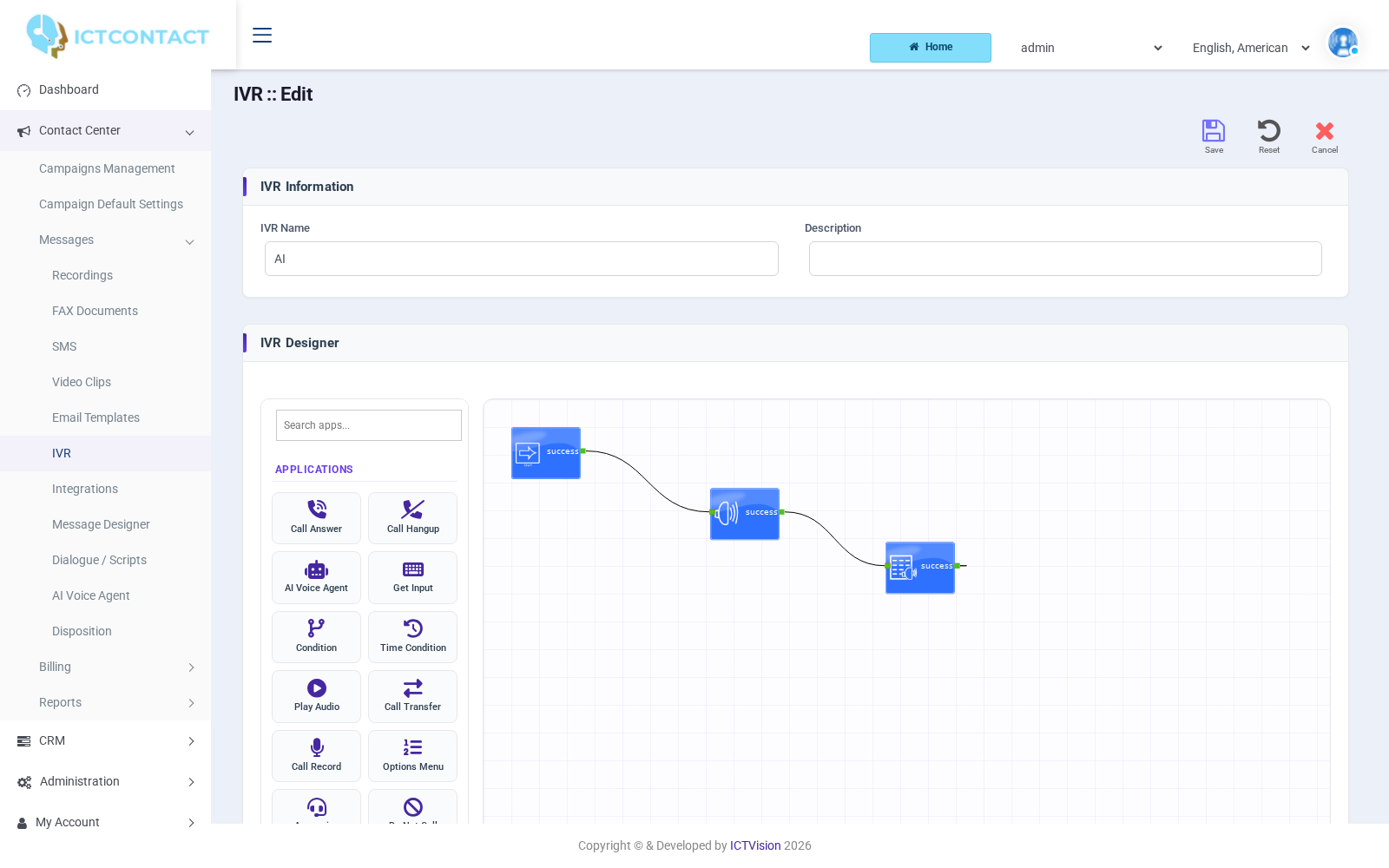
That composability matters more than it first appears. You can put a time-condition node in front of the AI so it only answers after hours. You can play a compliance disclaimer first. You can route callers who press 0 straight to a queue and let everyone else talk to the persona. The AI is just another building block, and it plays by the same rules as every other block on the canvas.
From one call to a whole campaign
A single smart call is a demo. A thousand of them running concurrently is a business case. This is where ICTContact’s campaign engine and the AI persona click together.
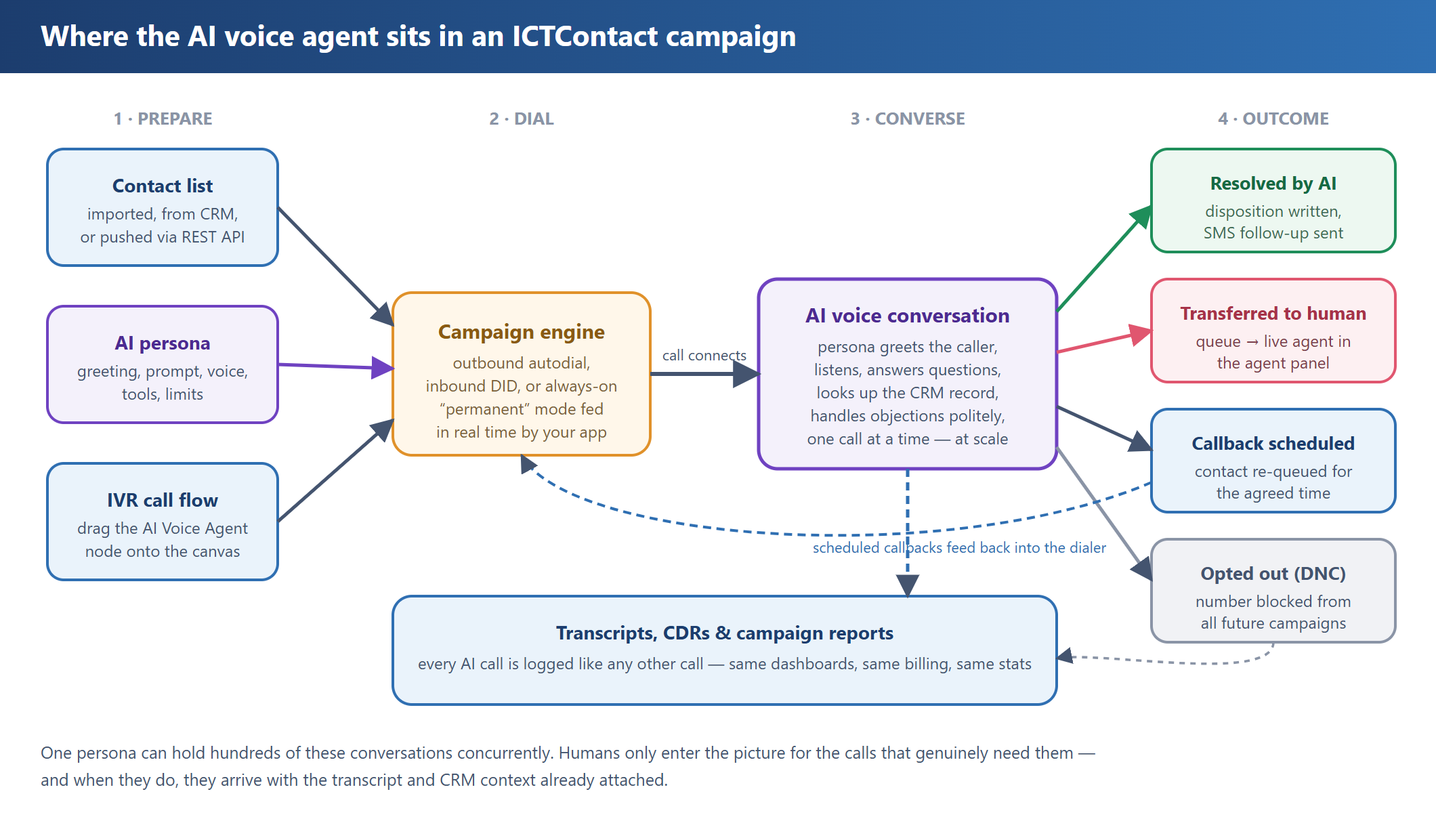
The pattern works in every campaign mode ICTContact supports:
- Outbound: the campaign engine autodials your contact list and the persona handles whoever answers: reminders, surveys, lead qualification, collections outreach.
- Inbound: point a DID at an IVR containing the AI node, and you’ve got a receptionist who never puts anyone on hold.
- Permanent: an always-on campaign fed contacts in real time through the REST API. Your web app pushes a number, the AI calls it seconds later. Think instant lead follow-up while the prospect is still on your pricing page.
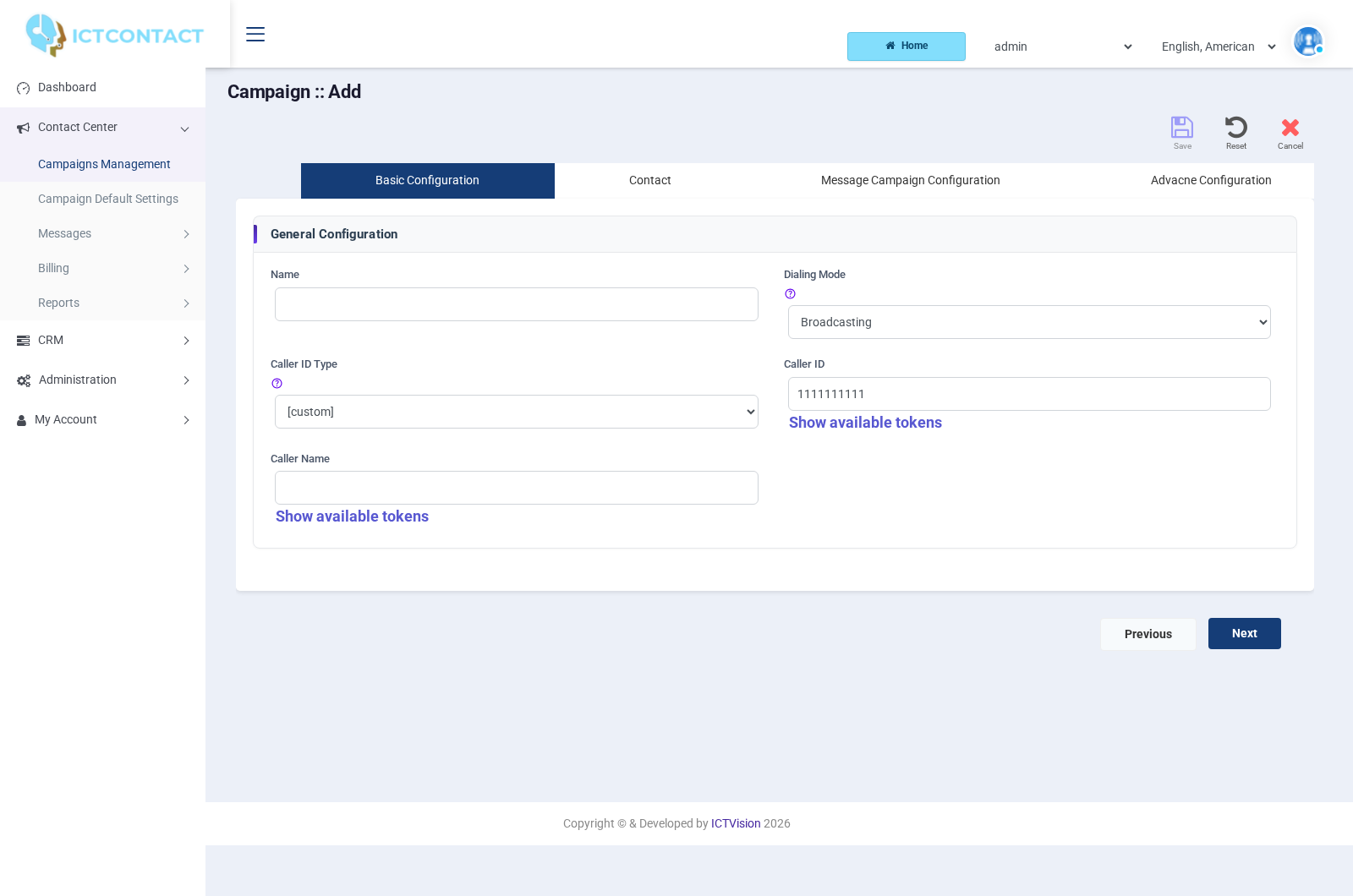
Campaign setup itself hasn’t changed: same wizard, same caller ID settings, same scheduling. The AI is just what happens after the call connects.
The handoff: where humans come back in
The honest truth about AI voice agents in 2026: they’re superb at the predictable 80% and should not be trusted to wing the hard 20%. The design goal isn’t “replace agents,” it’s “stop wasting agents.”
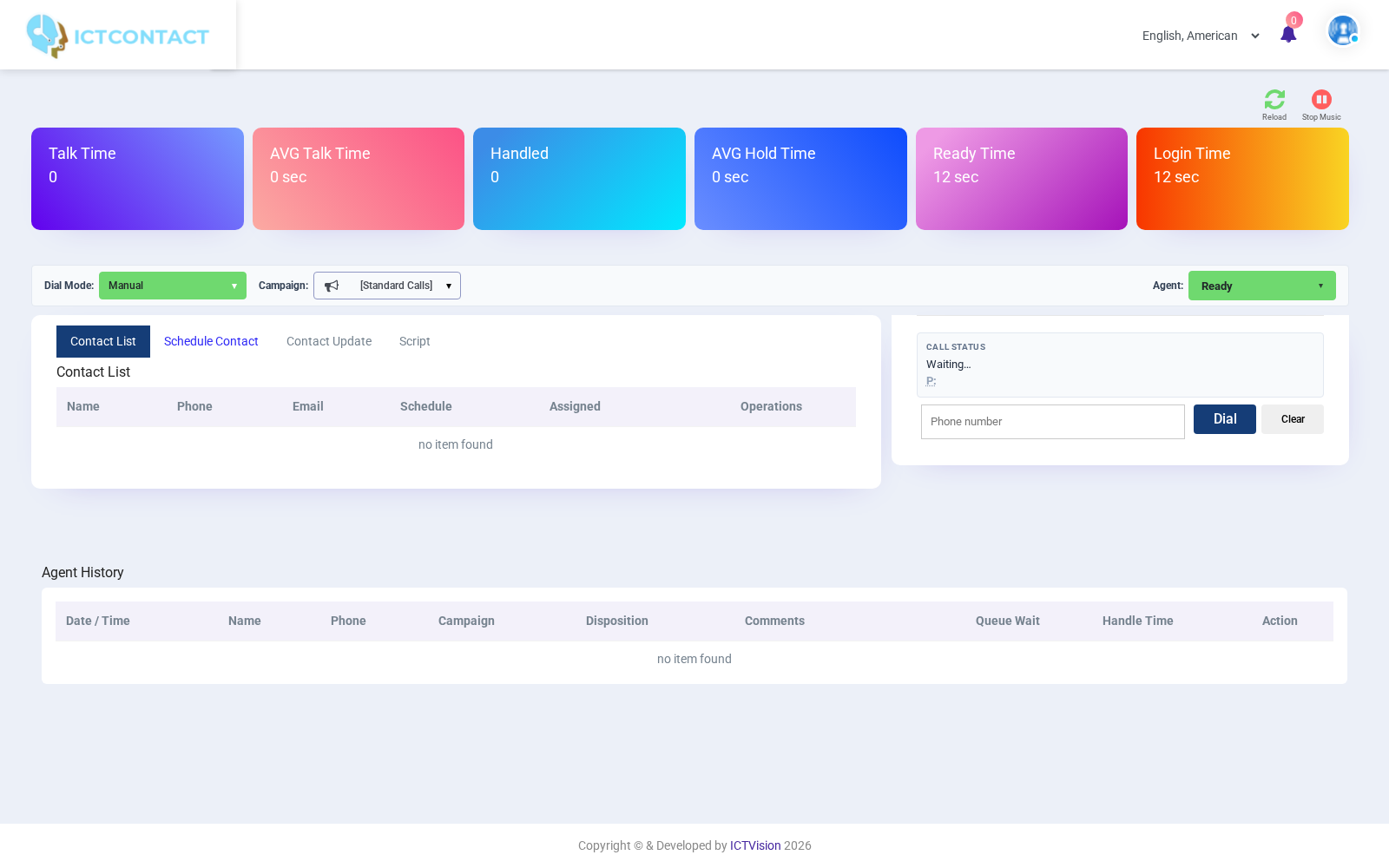
When the persona hits something outside its lane, a complicated complaint, a caller who’s upset, a request it wasn’t briefed on, it uses its transfer tool. The call moves into a standard Asterisk queue, and a human agent picks it up in the ICTContact agent panel with the interaction history already in the system. No cold start, no “let me ask you all the same questions again.”
And because every AI conversation is transcribed, supervisors can review exactly what was said, the same way they’d audit a human agent’s recordings. The Transcripts view sits one click away from the persona list.
Watching it all from the dashboard
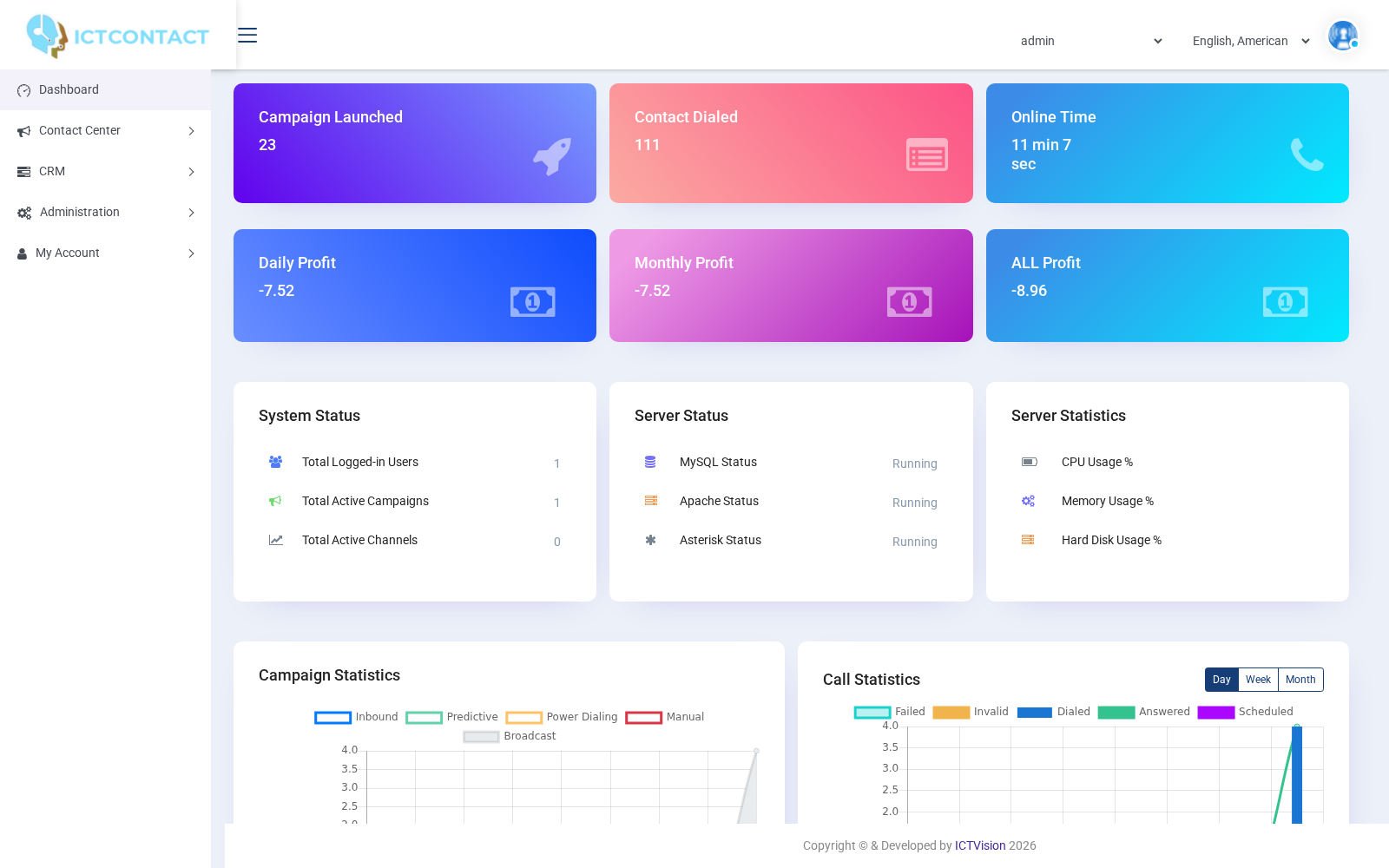
AI calls aren’t a parallel universe. They’re ordinary calls as far as the platform is concerned: they show up in campaign statistics, CDRs, billing, and the main dashboard next to everything else. If your reporting worked yesterday, it works today. There’s just a new kind of agent doing some of the talking.
A few things we learned the hard way
Keep replies short. The single best line in our system prompt: “Keep replies short, maximum two sentences.” Long, eloquent answers read beautifully and sound terrible on a phone. People interrupt, and they should be able to (leave barge-in enabled).
Tell the persona to look before it talks. Prompting the agent to use crm_lookup proactively at the start of the call changes the whole tone. “Hi, is this Sarah?” beats “May I ask who I’m speaking with?”
Set the duration cap lower than you think. Ten minutes is generous for almost any scripted purpose. If a call genuinely needs longer, that’s usually a signal it needed a human, which is what the transfer queue is for.
Temperature: start low. Around 0.4 keeps the agent warm but on-message. Save the creativity for your marketing copy.
The bottom line
What makes ICTContact’s approach work is that the AI voice agent isn’t magic dust sprinkled over the platform. It’s a first-class citizen inside an architecture that already knew how to dial, queue, record, transfer, and report on millions of calls. The persona brings the conversation; the platform brings everything else.
Configure a persona, drag one node onto an IVR canvas, attach it to a campaign. That’s genuinely the whole setup. The result is a contact center where the phones answer themselves for routine work, humans get the calls worth their time, and every conversation, silicon or carbon, lands in the same reports.
Your agents will not miss the appointment confirmations. We promise.
Frequently asked questions
What is an AI Persona in ICTContact?
An AI Persona is a fully configured AI voice agent. It bundles an opening line, a system prompt, an LLM, a speech-to-text and text-to-speech provider, a set of allowed tools, and hard limits into one reusable asset you attach to campaigns and IVR flows.
Can the AI agent transfer a call to a live human?
Yes. When a caller needs a person, the persona uses its transfer tool to move the call into a standard Asterisk queue. A human agent picks it up in the agent panel with the full interaction history already in place, so the caller never repeats themselves.
Which campaign types support the AI Voice Agent?
All of them. The AI node works in outbound, inbound, and permanent campaigns. Setup is the same wizard you already use for caller ID, dialing mode, and scheduling; the persona simply handles the conversation once the call connects.
Do AI calls show up in reporting and CDRs?
They do. AI calls are treated like any other call, so they appear in campaign statistics, CDRs, billing, and the dashboard. Every conversation is also transcribed, so supervisors can review it just like a human agent’s recording.
The open source pieces behind it
If you would rather see how a voice agent like this is built than take our word for it, the pieces are public. The Asterisk AI voice agent on GitHub is derived from the one inside ICTContact: speech to text, a streaming model turn, speech back out over AudioSocket, and the barge-in handling that makes it interruptible. piper-tts-server is the paced synthesis layer, and tvbench is the tool we use to measure what a caller actually hears from it. All three are MIT licensed. The AI voice agent guide covers setting it up inside ICTContact.