ICTContact WebRTC Webphone provides a fully browser-based telephony solution, enabling users to make and receive calls without any extra software or hardware. Built on WebRTC technology, it offers secure, real-time communication with advanced features such as click-to-call, call transfer, call recording, and voicemail integration. Agents and teams can manage all interactions directly from their browser, improving workflow efficiency and reducing the need for traditional phone systems. With seamless CRM integration, ICTContact WebRTC Webphone ensures accurate call logging, easy customer management, and enhanced collaboration, making it an ideal solution for modern contact centers and businesses focused on productivity and superior customer experience.
What is a WebPhone and How Does It Help Agents?
A WebPhone is a browser-based phone built on WebRTC technology, enabling agents to make outbound calls and receive incoming calls directly from their web browser—no additional hardware or software required. ICTContact offers an integrated WebPhone designed specifically for agents, streamlining their workflow and enhancing productivity.
With ICTContact WebPhone, agents can:
- Make and receive calls seamlessly within the browser
- Transfer calls between extensions or departments
- Record calls for quality assurance and compliance
- Access voicemail and call history instantly
- Click-to-call directly from CRM or contact lists
By using a WebPhone, agents can manage all their communication in one place, reduce dependency on physical phones, and maintain accurate call logs. This not only improves agent efficiency but also ensures a smoother, faster, and more professional customer experience.
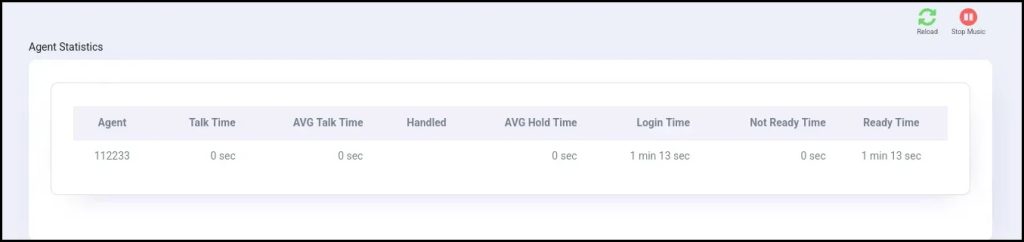
1: Login as an agent
Users can access the integrated WebRTC WebPhone by logging in as an agent using their extension and password, allowing them to start making and receiving calls directly from the browser.
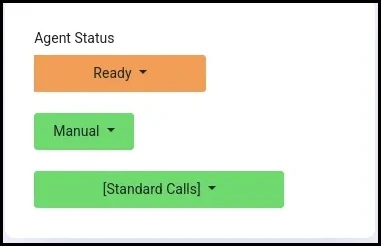
1.2: Set Agent Status
ICTContact provides agents with the ability to update their status directly from the interface. Agents can set their status as Ready or Not Ready by selecting the appropriate option from the Agent Status box.
Note: Only agents with the Ready status can receive, forward, or make calls.
1.3: Select Dialing Modes
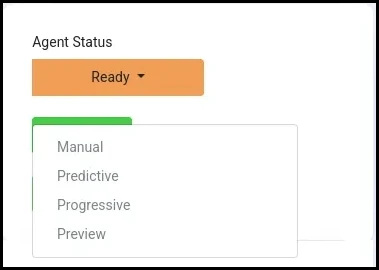
ICTContact provides agents with multiple dialing options to suit different campaign needs:
- Manual Dialing: Agents dial numbers themselves directly from the WebPhone.
- Progressive Dialing: Numbers are automatically dialed one at a time, ensuring agents are always connected to a live contact without being overwhelmed.
- Preview Dialing: Agents can review contact details before initiating the call, allowing for a personalized and prepared interaction.
These options give agents full control over their workflow while improving productivity, reducing idle time, and enhancing customer engagement.
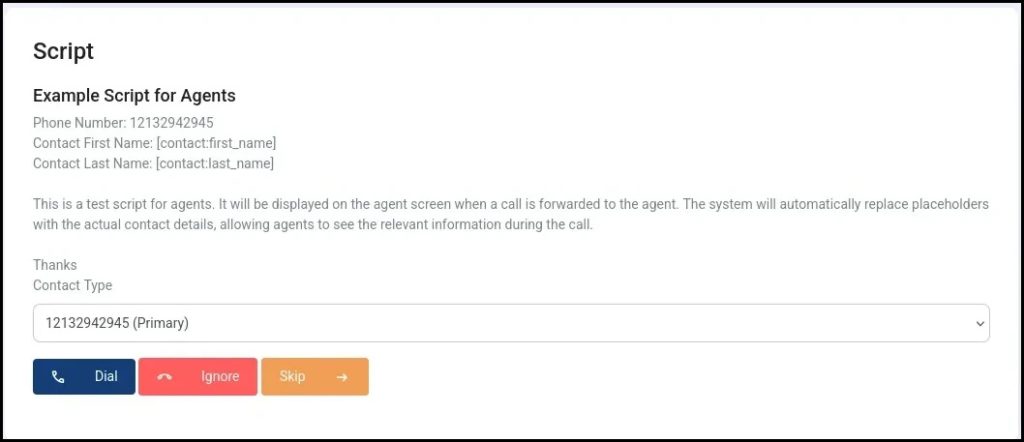
1.4: Show Dialog/Script
ICTContact provides an option to display a campaign script or dialogue for each campaign, helping agents follow a structured conversation and maintain consistency during calls.
1.5: Call On Hold
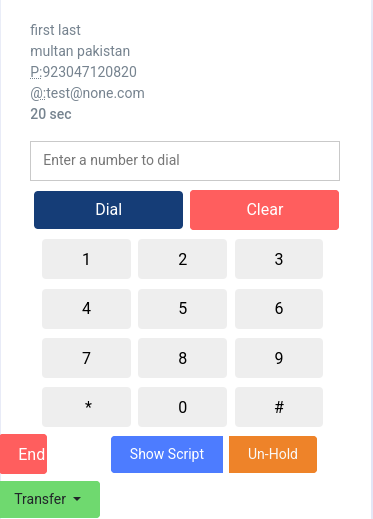
ICTContact provides a Call Hold feature that allows agents to place a live call on hold. While on hold, agents can consult with other team members or gather information before returning to the customer, ensuring accurate and informed communication.
1.6: Contact List
ICTContact provides an option to display the contact list for agents. Agents can view detailed information for each contact and directly dial any person from the list by clicking the Dial button. Additionally, agents can remove contacts from the list as needed, allowing for easy management and streamlined calling.
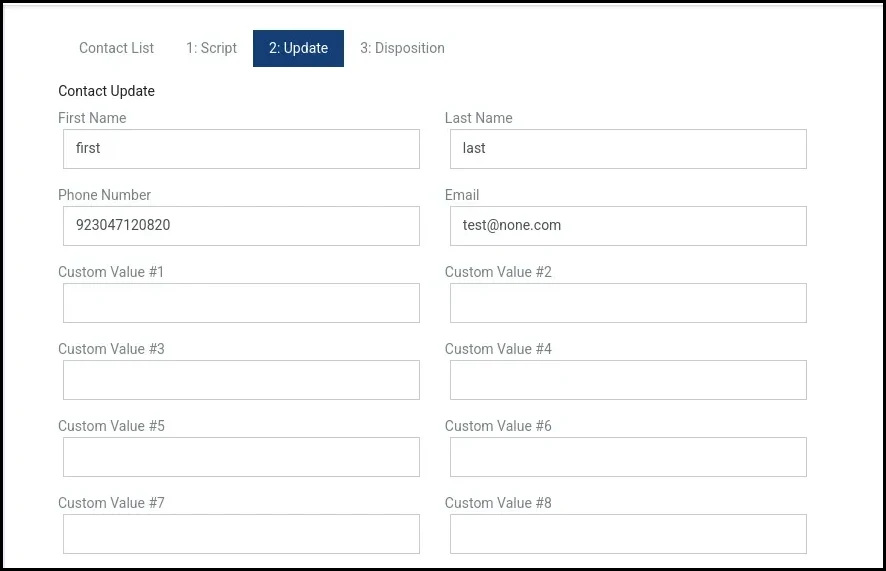
1.7: Update Contacts
ICTContact provides an option to update contact information. Agents can edit or update contact details whenever needed, ensuring that customer information remains accurate and up to date.
1.8: Update Disposition
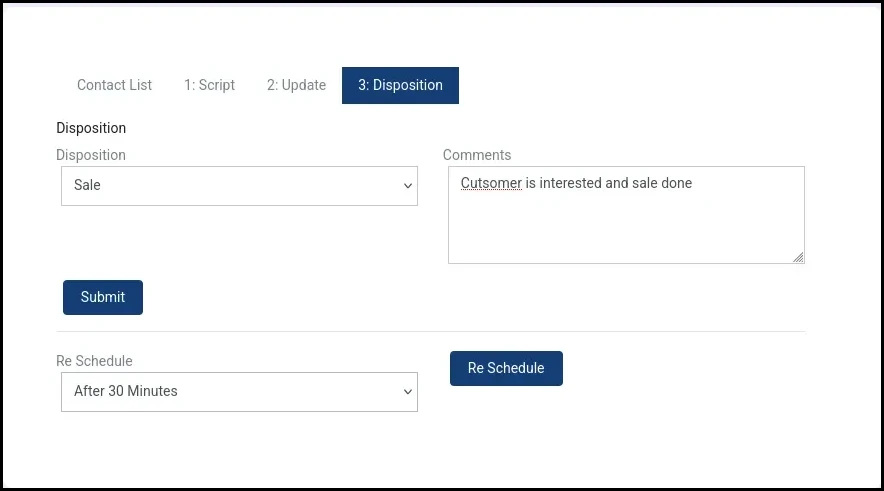
ICTContact provides an option to reschedule call times. If a recipient does not answer or is busy, agents can reschedule the call directly from the Disposition options.
Additionally, after a call ends, agents can update the call disposition to reflect the outcome, such as Customer Interested, Not Interested, Sale Completed, or other custom statuses. This helps maintain accurate records, track campaign performance, and plan follow-ups effectively.
1.9: Webphone
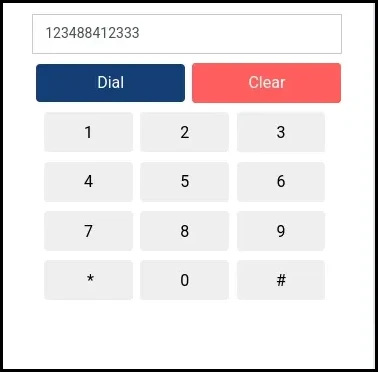
Agents can manually dial contacts directly from the WebPhone or Softphone. This allows agents to have full control over outgoing calls, ensuring they can reach specific contacts on demand without waiting for automated dialing.
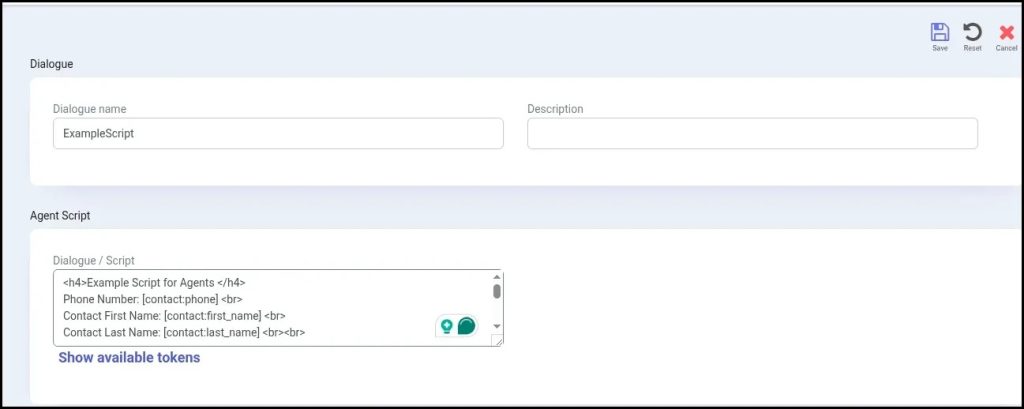
How to Create a Dialog/Script for an Agent in ICTContact:
- Login as admin/user in ICTContact.
- Select the main menu “Contact Center” and then select the sub menu “Dialog/script” under its parent menu Message, and click on it.
- Click on the New Dialog button from top right side.
- page opens, you will have to enter the required information in the desired fields.
Dialog name = Enter the dialog name & description.
Dialog Script = user will write the script as per required and user can also use custom tokens, such as contact first name, last name, phone, email, and so on.
Custom tokens will be replaced with dialed contact information.